Commodity Investment Strategies with TradingView and Pine Script: Backtesting and Rule-Based Approach
Commodities are difficult to trade profitably, with few strategies offering any statistical edge. Despite this, finding effective commodities strategies might be worth the effort, as they allow for profits that are uncorrelated with those of other strategies and tend to work well in times of geopolitical risk and upheaval. Every trader should consider adding a few commodity trading strategies to their portfolio. Can you find commodity investment strategies using TradingView?
Yes, the extensive built-in tools in TradingView offer indicators and ready-made strategies that might be useful for traders and investors. Using TradingView, we were able to find some promising commodity investment strategies.
TradingView is a platform many traders favor due to its extensive range of tools. While QuantifiedStrategies has no association with TradingView, we recognize its popularity among traders and plan to write several forthcoming articles exploring its practical use. This article examines how to utilize TradingView’s tools and their native Pine Script to discover (profitable) commodity investment strategies.
Related reading: 200+ Investment Strategies
No strategy in this article is recommended by us. The article is only meant as an example of utilizing TradingView and its in-built strategies. Using the methods outlined in this article, we were able to find several profitable commodity investment strategies, but it remains to be seen if they held up for live trading and investing.
(Our previous article on Commodity Trading Strategies will give you a comprehensive introduction to commodity trading in general and is worth reading before returning to this one.)
Finding and organizing commodities on TradingView
The first thing we need to do in order to get started with commodity investment strategies on TradingView, is to create an organized list of commodities which we can then research further.
For this, we will make use of TradingView’s Watchlist function. Click the ‘Create new list button, located in the panel to the right:
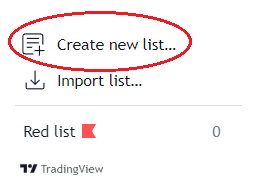
We’ll name this list “Commodities” (or any other title you may like).
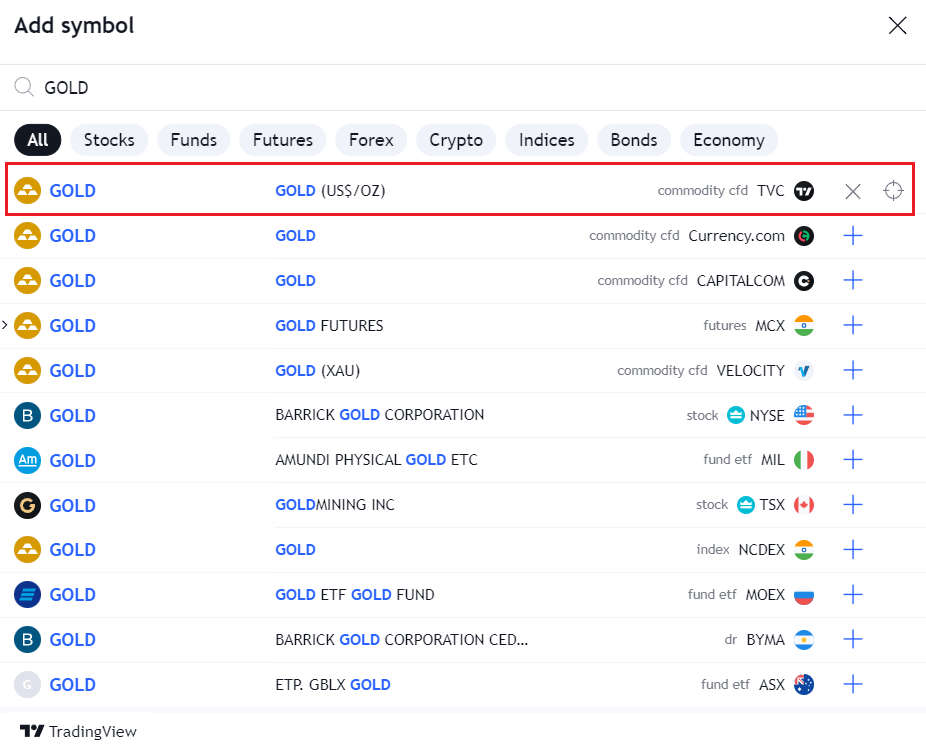
Once done, we’ll need to add the commodities one by one by pressing the ‘Add symbol’ button in the top right of the watchlist:

This opens a search interface, which looks like this when we search for our first commodity, Gold: