

How To Build A Trading Strategy From FRED Data In Python (Strategy, Backtest, Rules Analysis)
Finding reliable sources of data to backtest your trading strategies can be difficult sometimes. Luckily, today we will show you a website to download historical economic data for free using Python.
We show you how to download FRED data using Python. The FRED website is an economic and financial database run by the FED of St. Louis. It is very popular among traders and investors to follow economic news and develop and backtest trading strategies.
In this article, we are going to look at how to download data from the FRED website, develop a trading strategy using economic indicators, backtest the strategy, and plot the returns using Python.
Python-related resources
We have written many articles about Python, and you might find these interesting:
- Python For Trading – How To Do It (Plenty of examples with code and images)
- Get Started With Python Making Trading Strategies (Step By Step)
- How To Download Data For Your Trading Strategy From Yahoo!Finance With Python
- Best Python Libraries For Algorithmic Trading – Examples
- How To Measure Skewness Of A Trading Strategy Using Python
- Python Bollinger Band Trading Strategy: Backtest, Rules, Code, Setup, Performance
- Python and Trend Following Trading Strategy
- Python and RSI Trading Strategy
- Python and Momentum Trading Strategy
- How To Make An Average True Range (ATR) Trading Strategy In Python
- Python and MACD Trading Strategy: Backtest, Rules, Code, Setup, Performance
- How To Measure Skewness Of A Trading Strategy Using Python
- How To Do A Monte Carlo Simulation Using Python
What is the FRED website, and how to get the data in Python
The Federal Reserve Economic Data (FRED) website provides historical US economic and financial data.
It includes data points of different economic indicators like GDP, interest rates, unemployment, and many others. Navigating is very intuitive, and data can be downloaded in several formats. It’s a great resource for traders and investors.
What’s best is that we can download the data from the FRED website using Python to create an economic dashboard or build a trading strategy. Moreover, the data gets automatically updated in our code as soon as it changes on the website.
In order to download economic data in Python, we need to first create a new notebook to write our code and then import the pandas_datareader library.
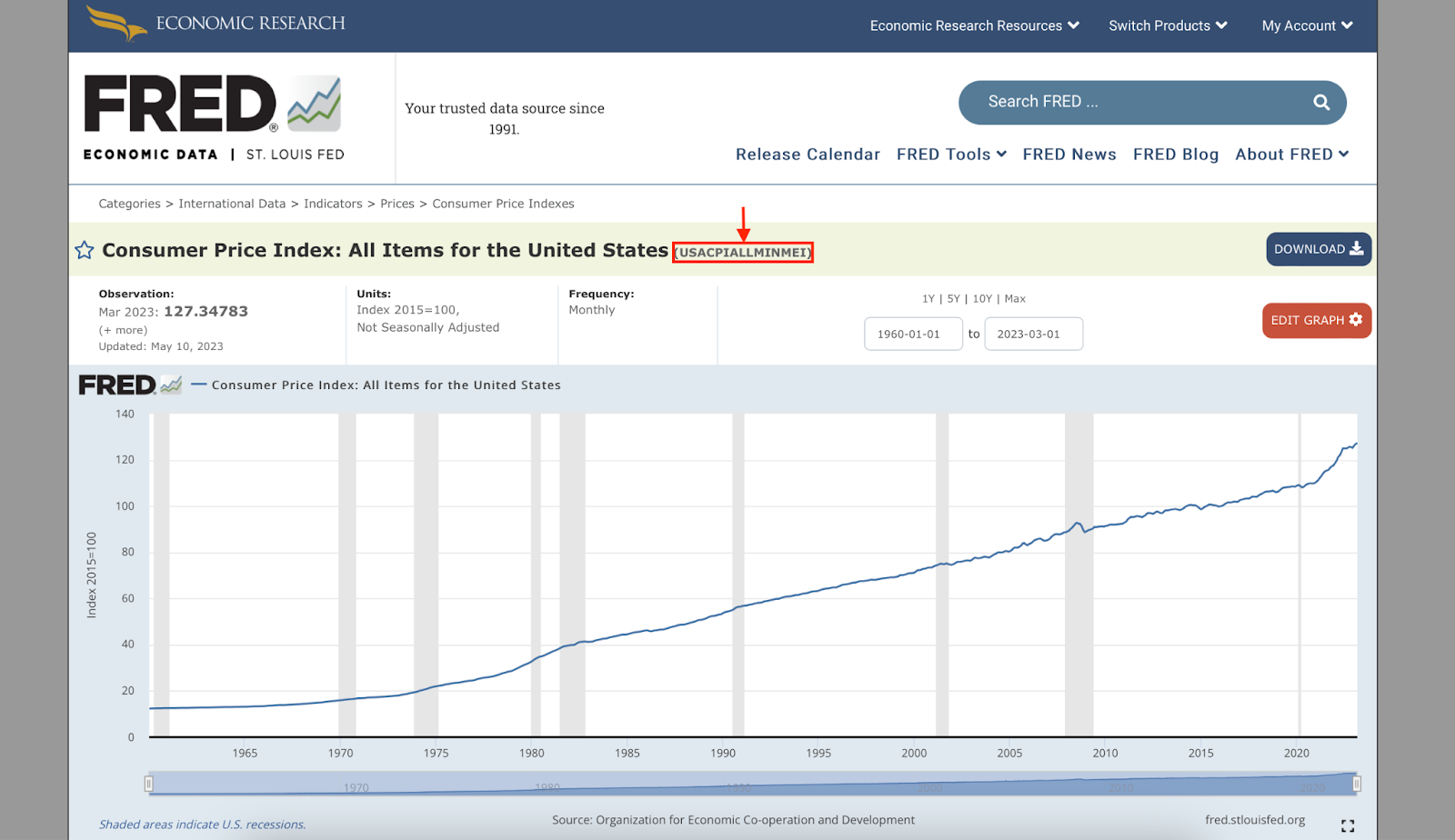
Once we have done this, we will need to find the “code name” of the economic indicator we want to download on the FRED website. For example, the code name for the CPI index is USACPIALLMINMEI.
For the strategy we will use as a trading strategy and backtest today, we will use the Chicago Fed National Financial Condition Index (NFCI).
Besides this, there is not much more to it. We are going to define